


Cry Babies
4.1205.00 Reviews
App Specs
- Version
- 3.10.2
- Updated On
- License
- Free
- Downloads
- 10,000,000+
- Developer
- IMC Toys
- Categories
- Educational
- Platform
- Android, iOS
Screenshots
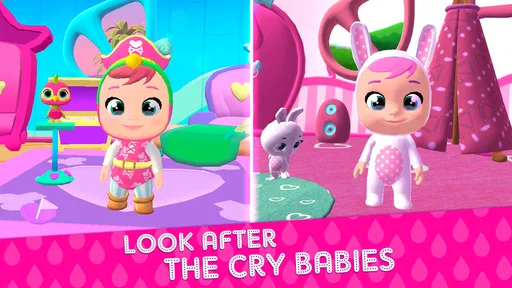

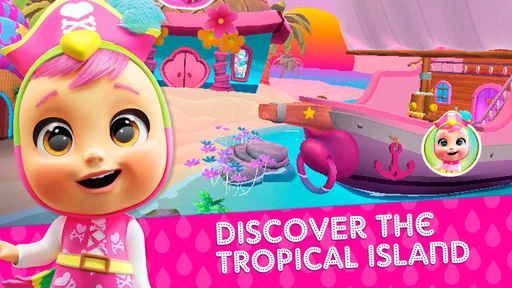
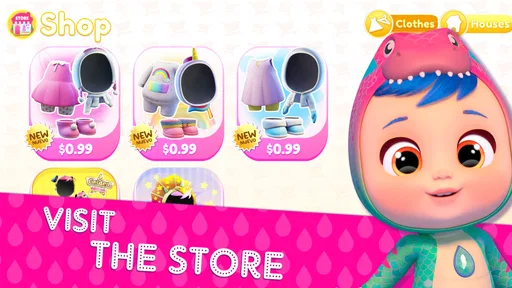
 Analysis by AppCompare
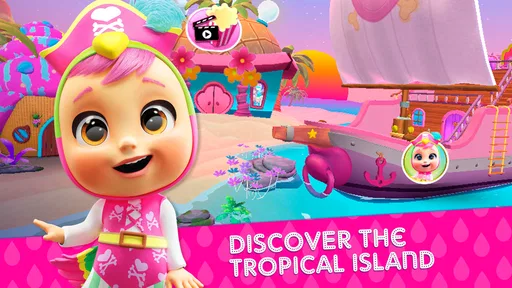
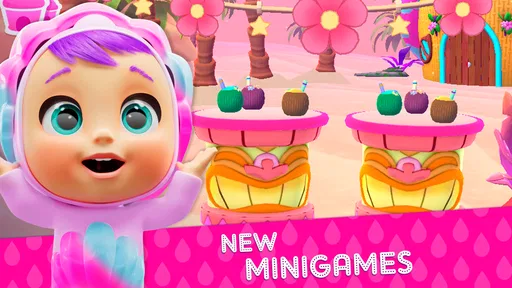
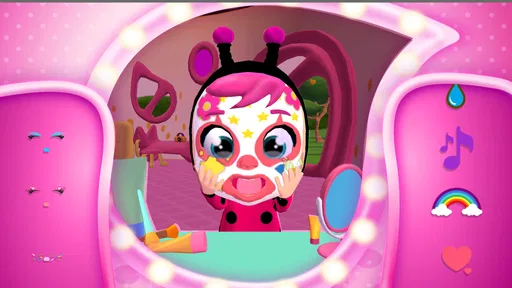
Getting a child interested in an educational game is often easy for the first few minutes and surprisingly difficult after that. Cry Babies Magic Tears has a useful advantage here: it starts from characters many children already find appealing, then turns that familiarity into a digital activity. I found it most suitable for younger children who want something playful and visually gentle rather than a demanding lesson disguised as a game.
That said, the best experience depends heavily on a smooth start. A child may see the colorful world and expect to play immediately, while an adult is still dealing with installation, device compatibility, updates, or in-app purchase prompts. My overall impression is positive, but I would treat it as a supervised, short-session game rather than an app to hand over without checking first.
What the first few minutes reveal
The game belongs to the educational category, although its learning value is presented through character-led play rather than through a formal classroom structure. That distinction matters. It feels closer to a themed activity space than to a reading, mathematics, or language course. Children who respond to familiar toys and animated characters are likely to engage more readily than children looking for complex challenges or open-ended construction.
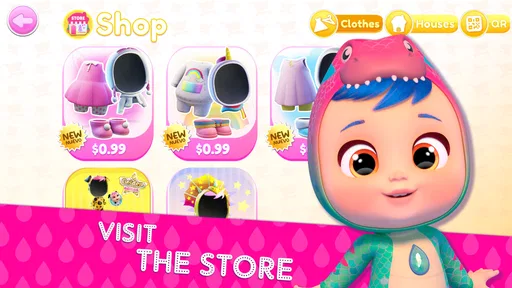
IMC Toys is the developer, and the presentation stays closely tied to the Cry Babies world. The free download makes it easy to try without committing money at the beginning, but optional purchases range from $0.99 to $29.99 per item. I would therefore open the app once on my own, inspect the available paths, and decide in advance whether purchases are appropriate before giving the device to a child.
The age rating is Everyone, which makes the app broadly accessible for families. That does not mean every child will have the same experience. A very young player may need help understanding what to tap next, while an older child may finish the available activities quickly and want more variety. The app works best when an adult sets expectations around session length and spending rather than assuming the age label answers every practical question.
One common sticking point is the gap between a child’s expectation and the app’s actual rhythm. Children often want immediate character interaction, but a first launch can involve loading, introductory screens, or a need to learn the visual cues. If the child starts tapping randomly and becomes frustrated, I would not immediately conclude that the game is broken. A calm first tour, with the adult explaining which areas respond to taps, can prevent an avoidable poor first impression.
Why the setup deserves adult attention
The app runs on Android devices using version 7.0 or later. Before installing it on an older phone or tablet, I would check the operating system rather than relying on the device’s age alone. Two devices bought around the same time can still use different software versions, and a child’s tablet may not receive updates as regularly as an adult’s phone.
Worth Reading Before You Choose

EA SPORTS FC Mobile 26 Is a Bigger Football Game, but It Takes Time

Flipboard Shows What News Apps Must Do Beyond the Feed

Switching to Android Auto Means Rethinking Your Driving Routine

Google Calendar Makes a Crowded Week Easier to Manage

Ludo King Makes the Most of the Minutes Between Plans

Baby Panda World Brings Quick Play to Modern Phones, but Its Game Library Feels Busy
Storage is another sensible check. Even when a download appears manageable, a device with very little free space can behave unpredictably during installation or updating. I would remove a few unused videos or games, restart the device, and then try the installation again. This is ordinary maintenance, but it is especially useful on a shared family tablet that has accumulated years of downloads.
After installation, I would launch the game while connected to a reliable home network and let the first setup finish without repeatedly switching between apps. If the screen appears stuck, waiting briefly and checking whether the device is still responding is safer than tapping every visible button. Repeated taps can open several screens or create confusion about whether a purchase or selection has been made.
Parents often ask whether the free label means the whole experience is entirely without cost. In practical terms, the download is free, while optional in-app items can cost money. I would use the device’s purchase controls and keep the relevant account protected. This is not a criticism unique to this title; it is simply an important part of managing any children’s game with optional spending.
A useful setup routine is to create a small “child mode” habit even if the device has no dedicated child profile. Turn down distracting notifications, close unrelated apps, and place the tablet somewhere the child can sit comfortably. This reduces accidental interruptions and makes it easier to tell whether a problem comes from the game or from the device being overloaded by other activity.
Recovering when play stops going smoothly
If the game closes unexpectedly, I would begin with the least disruptive steps. Return to the home screen, open it again, and see whether the problem repeats in the same place. If it does, close other running apps and restart the device. These steps are more useful than immediately uninstalling, because they preserve the existing setup and help identify whether the issue was temporary.
If an update is waiting, complete it through the normal app store process and then reopen the game. A mismatch between an older installed build and a newer device environment can cause odd behavior, especially on a tablet that has been left unused for a while. The current version is 3.10.2, so I would check that the installed copy is not simply behind before trying more drastic fixes.
When a child reports that a tap does nothing, I would first check whether the tap is landing on an interactive part of the screen. Character-focused games often use visual areas that look decorative but sit beside the actual controls. I would also test the screen with another familiar app. If taps fail elsewhere, the likely problem is the touchscreen, a case or screen protector, or the device itself rather than this game.
Sound problems deserve the same separation. Check the device volume, silent mode, Bluetooth connections, and whether another app can play audio. A child may describe all of these situations as “the game has no sound,” but the fix depends on the source. If audio works in other apps and not here, reopening the game after checking its visible controls is a reasonable next step.
Network trouble can also look like a frozen game. I would move closer to the router, pause large downloads on the household network, and try again later. If the app works normally offline after it has loaded, that gives a useful clue; if it cannot get past the opening process, the connection or service availability may be involved. I would avoid repeatedly pressing purchase or confirmation buttons while waiting for a slow connection.
One practical recovery tip is to note exactly what happened before the failure. “It stopped” is difficult to act on, while “it closed after selecting a character” or “the screen stayed unchanged after the loading message” gives a clearer pattern. This is particularly helpful when more than one child uses the same device and an adult needs to decide whether to reset the app or simply change the way it is opened.
Separating app problems from device and account problems
Not every frustrating moment points to a defect in the game. A nearly full battery, aggressive power-saving mode, an old operating system, poor Wi-Fi, or a tablet running many background apps can all make a colorful children’s game feel unreliable. I would test it on a cleanly restarted device before judging it, especially if the app worked well previously.
Account issues can be just as confusing. If a purchase prompt appears, the child may think the game has stopped offering activities, when the screen may simply be asking for an adult decision. I would take control of the device at that point, read the screen carefully, and avoid entering payment details in a hurry. The free starting point is useful, but it should not be mistaken for a promise that every optional element costs nothing.
Shared devices create another source of confusion. A sibling may change settings, close a session, or leave the game in a different place. Before reinstalling, I would ask who last used the tablet and whether the behavior occurs for every user. Reinstalling can remove local progress or preferences in some apps, so it should be a later step rather than the automatic solution.
Screen size also changes the experience. On a small phone, young children may have trouble seeing details or tapping accurately, while a larger tablet can make the visual world easier to follow. The larger display is not automatically better if the child holds it too far away or struggles with its weight. I prefer a stable surface and short supervised sessions, particularly for children who press hard or move the device constantly.
Families should also consider attention rather than only technical performance. The characters can attract a child quickly, but attraction is not the same as sustained educational benefit. If the child is only repeating taps without understanding the activity, I would sit beside them and turn the session into conversation: ask what the character is doing, what the child expects next, and why they chose a particular action. That simple interaction adds more value than passive screen time.
How it fits everyday family routines
A realistic use case is a short waiting period before an appointment. I would open the game at home first, confirm that it launches properly, and let the child explore one familiar activity before leaving. That avoids discovering setup trouble in a crowded waiting room. It also helps the child understand that the game is a small activity, not an unlimited replacement for conversation or other play.
It can also work as a calm transition after preschool or daycare. Instead of offering the tablet while preparing dinner and leaving the child alone with it, an adult can sit nearby for the first few minutes, then set a clear stopping point. The character theme gives the child an inviting entry, while the adult’s presence keeps the activity from becoming a struggle when it is time to put the device away.
For travel, I would test the game before relying on it. Do not assume that an app that opened at home will behave identically on a weak hotel or airplane connection. Charge the device, close unnecessary apps, and avoid making the game the only entertainment plan. A coloring book, downloaded story, or simple toy provides a useful fallback if the network or device causes trouble.
Compared with traditional educational apps, this game is less appealing for a child who wants measurable progress in spelling, arithmetic, or structured lessons. A dedicated learning app may offer clearer practice goals and a more obvious path for parents to follow. Compared with a general character video, however, this title has the advantage of asking the child to participate rather than only watch. That makes it a better choice when the child enjoys the Cry Babies theme and the adult wants some interaction.
Compared with an open-ended creative game, it is likely to feel more guided and less demanding. That can be a strength for a younger player who needs recognizable prompts, but a weakness for an older child who wants building tools, puzzles with increasing difficulty, or a large world to explore independently. I would choose it for themed, accessible play rather than for deep challenge or long-term mastery.
Who will enjoy it, and who should look elsewhere
I would recommend trying it for a young Cry Babies fan, a family seeking a free starting point, or a parent who wants a gentle activity that can be shared with a child. The Everyone rating and broad device compatibility make it approachable, and the character connection gives it a clearer identity than an anonymous collection of mini-games.
I would be more cautious if the child becomes upset whenever an activity is interrupted, frequently presses purchase buttons, or needs a very precise educational target. In those cases, a simpler offline game, a paid app without optional items, or a subject-focused learning tool may be a better fit. The right alternative depends on whether the family values character appeal, curriculum structure, or complete control over spending.
The app is also not my first choice for an older child who expects complicated strategy. Its strongest quality is accessibility, not depth. A child may enjoy returning to familiar characters, but that does not guarantee the same level of challenge over time. Parents should judge it as a light educational game with themed engagement, not as a complete learning program.
Its popularity suggests that the concept reaches a substantial audience: it has passed ten million installs and holds a 4.1 average from around seventeen thousand ratings, with a little over two hundred written reviews. Those figures are useful context, but they do not replace a trial on your own child’s device. A popular character can still fail to match a particular child’s attention span, reading ability, or preferred style of play.
My practical verdict after using it
I see Cry Babies Magic Tears as an easy game to recommend with sensible boundaries. It is free to start, suitable for Everyone, and made by IMC Toys for children who enjoy this character universe. The latest listed version, 3.10.2, supports a straightforward test on Android 7.0 or later, provided the device is maintained and the adult handles purchase decisions.
My strongest advice is to perform the first launch yourself. Check the operating system, free space, network, audio, and purchase controls before inviting a child to play. If something goes wrong, restart methodically and test the device with another app before blaming the game. These small checks remove much of the friction that families often experience during a rushed first session.
The best reason to choose it is the combination of familiar characters and low-pressure participation. The main trade-off is that its appeal may depend more on the child’s connection to Cry Babies than on deep educational progression. I would use it in short, shared sessions, especially during quiet transitions or waiting time, and move to a more structured learning app when the goal is specific academic practice.
In the end, I would download it for a child who already likes the brand and enjoys tapping through friendly character activities. I would skip it for a family demanding a fully offline, purchase-free, curriculum-driven experience. With that distinction clear, it becomes a pleasant addition to a child’s app collection rather than an overpromised solution to every learning or entertainment need.
Pros
- Colorful visuals and friendly characters appeal to young children.
- Simple controls make the game easy for beginners to understand.
- Short activities are suitable for quick play sessions.
- Familiar Cry Babies themes add extra appeal for fans of the series.
- Works well as a light
- casual game for preschool-age players.
Cons
- Some content may feel repetitive after extended play.
- The target age range is too young for older children.
- In-app purchases may require parental supervision.
- Ads or locked features can interrupt the playing experience.
- Limited challenge may reduce long-term interest for some players.
FAQs for Cry Babies
What is Cry Babies, and what can children do in the app?
Cry Babies is an entertainment app based on the popular Cry Babies characters. Depending on the version available for your device, children can watch animated content, interact with characters, play simple activities, and explore colorful scenes designed for younger audiences. The experience is generally easy to understand, with bright graphics and straightforward controls. Parents should check the app description carefully because included features may differ between Android and iOS versions or change after updates.
Is Cry Babies suitable for young children?
The app is primarily aimed at preschool and early-childhood users, making its colorful presentation and simple interactions accessible to young children. However, the recommended age can vary according to the specific Cry Babies app, region, and store listing. Parents should review the official age rating, read the privacy information, and try the app themselves before allowing independent use. Younger children may still need help navigating menus or understanding optional activities.
Does Cry Babies require an internet connection?
Some Cry Babies content may work offline after installation, particularly basic games or downloaded activities, while videos, advertisements, updates, and certain interactive features may require an internet connection. Offline availability depends on the exact app version and the developer’s implementation. If you plan to use it during travel, test the application in airplane mode first. Also remember that reconnecting to the internet can activate ads, purchases, or updated content.
Are there advertisements or in-app purchases in Cry Babies?
The presence of advertising and in-app purchases depends on the particular Cry Babies application and the platform version you download. Some editions may offer free access supported by ads, while others may include paid content, subscriptions, or optional purchases. Before installation, parents should inspect the Google Play or App Store listing for pricing details and purchase information. Using parental controls and requiring authentication for payments is strongly recommended.
Is Cry Babies safe for children’s privacy?
Parents should review the app’s privacy policy before downloading Cry Babies, especially because the intended audience includes children. Check what information is collected, whether analytics or advertising services are used, and whether the app requests permissions unrelated to its core functions. Avoid granting unnecessary access to the camera, microphone, contacts, or location. Download only from the official Google Play Store or Apple App Store, and keep the app and device updated.


